



by DeeDee Walsh, on Apr 27, 2026, 6:38:25 PM
As of June 1, 2026, GitHub has moved Copilot from premium request-based usage to usage-based billing built around a new unit called GitHub AI Credits. On paper, this is a pricing model change. In practice, it signals something bigger: AI coding tools are moving from subscription software economics to cloud compute economics. (Read more: The GitHub Blog)
That shift matters because Copilot is a lot more than just an autocomplete tool sitting quietly in the IDE. GitHub describes Copilot as an agentic platform capable of long-running, multi-step coding sessions across repositories. Those workflows consume dramatically more compute than a quick chat prompt or inline code suggestion. GitHub’s position is straightforward: the old model treated very different workloads as if they cost roughly the same, and that is no longer sustainable.
Developers, however, are not wrong to be frustrated. The new model may be more economically rational for GitHub, but it is also harder for users to predict. And in developer tooling, predictability matters almost as much as raw price.
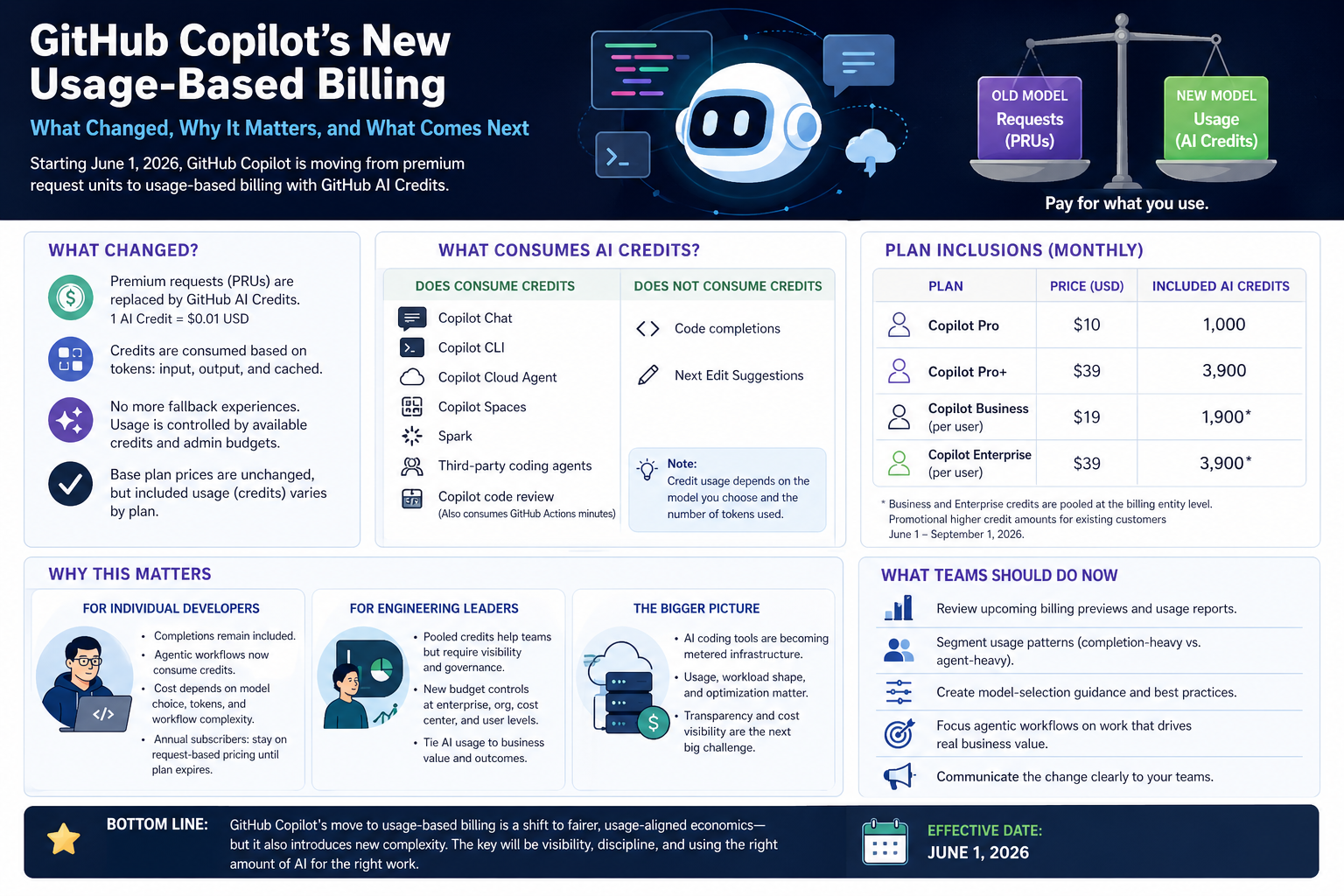 I thought a visual would make it simpler. I was wrong.
Seeing "Your billing plan has changed to usage-based billing and model multipliers no longer apply"? Here's what it means.
If Copilot showed you this message, nothing is broken. Your account moved from premium request units (PRUs) to GitHub AI Credits, which happened for most accounts on June 1, 2026.
Under the old model, each request cost a variable number of PRUs depending on a model multiplier, a 1x model consumed less of your monthly allowance than a 3x or 15x model. Under AI Credits, multipliers no longer exist. One AI Credit equals $0.01 USD, and your cost is driven by actual token consumption: input tokens, output tokens, and cached tokens. Different models still cost different amounts, but the cost comes from token pricing rather than a multiplier applied to a request count.
What to do:
- Update your client. The notification asks for this because older IDE and CLI versions display PRU balances that no longer reflect reality. Update VS Code, Visual Studio, JetBrains, or the Copilot CLI to the latest version.
- Check your credit balance. Your remaining AI Credits are visible in your billing overview at
github.com/settings/billing. - Set a budget before you need one. There is no fallback to a cheaper model when credits run out. Access to credit-consuming features simply stops. See how to set a per-user budget below.
One exception: some annual Copilot Pro and Pro+ subscribers remain on request-based billing until their plan expires. If that's you, model multipliers still apply to your account — and they changed on June 1. See What happens to annual Copilot plans.
How GitHub Copilot AI Credits Work
A GitHub AI Credit is GitHub's unit of Copilot usage under usage-based billing. One AI Credit equals $0.01 USD. Credits are consumed based on token usage — input tokens, output tokens, and cached tokens — so the cost of a task depends on which model you choose and how much context you send it. AI Credits replaced premium request units (PRUs) on June 1, 2026.
Base subscription prices did not change. What changed is what each plan includes.
| Plan | Price | Included AI Credits | Credits pooled? |
|---|---|---|---|
| Copilot Pro | $10/month | 1,000/month | No |
| Copilot Pro+ | $39/month | 3,900/month | No |
| Copilot Business | $19/user/month | 1,900/user/month | Yes — pooled at billing entity |
| Copilot Enterprise | $39/user/month | 3,900/user/month | Yes — pooled at billing entity |
Existing Copilot Business and Enterprise customers are in a promotional period from June 1 through September 1, 2026, with higher included credit amounts than the standard allocations above. When the promotional period ends, the shared pool gets smaller which is the moment most organizations will discover whether their budgets were sized correctly. Plan for the September 1 step-down now, not in September.
Not everything consumes credits.
Code completions and Next Edit Suggestions do not consume AI Credits. They remain included in all paid plans. Copilot Chat, Copilot CLI, the Copilot cloud agent, Copilot Spaces, Spark, and third-party coding agents all do consume credits. Copilot code review consumes GitHub Actions minutes in addition to AI Credits.
There's another important change: fallback experiences are going away. Previously, when users exhausted premium requests, they could fall back to lower-cost models in some cases. Under the new model, usage is controlled by available credits and admin budgets. If credits or budgets are exhausted, usage can stop.
Why GitHub is doing this
GitHub’s argument is not hard to understand. A single request is no longer a consistent unit of work.
A quick question like “explain this function” might use a small amount of model compute. A coding agent that scans a repository, edits multiple files, runs tests, reviews failures, and iterates for an hour is a totally different workload. Treating both as roughly equivalent breaks the economics of the product.
GitHub said as much when it explained that agentic workflows have changed Copilot’s compute demands. The company noted that long-running and parallelized sessions can consume far more resources than the original plan structure was designed to support, and that some requests can incur costs that exceed the monthly plan price.
That's the core issue. The old Copilot model made sense when Copilot was mostly autocomplete plus lightweight chat. It makes much less sense when Copilot is operating more like an autonomous software agent.
In that context, usage-based billing is not surprising. It aligns Copilot more closely with the economics of model APIs, cloud services, and other metered infrastructure. The more compute a workflow consumes, the more it costs.
Why developers are upset
The frustration is also rational.
For many developers, Copilot’s value was not just the AI assistance. It was the simplicity: pay a monthly fee, use the tool, don't think too much about the meter running in the background.
Usage-based billing changes that psychology. Now developers have to consider which model they're using, how much context they're sending, how many files the agent is touching, how many iterations it takes, and how much output is generated. In other words: the cost of a task becomes dynamic.
The GitHub Community discussion around the announcement quickly filled with questions about token costs, model access, annual-plan refunds, whether Pro+ still makes sense, and what happens when usage is high but results are poor. One developer asked whether Pro+ still has a meaningful advantage over Pro if users can simply buy more credits. Another asked how to calculate cost per token. Another asked for a refund on the remainder of an annual plan after deciding to stop using Copilot.
That reaction is not just “people hate price changes.” Developers are reacting to uncertainty. A request-based system was imperfect, but it was understandable. A token-based system may be more technically fair, but it is harder to reason about before the bill arrives.
Visual Studio Magazine summarized the concern well: users are worried about reduced included value, less predictable usage, model access, rollover questions, and whether Copilot remains competitive with direct model APIs or rival coding tools.
What this means for individual developers
For developers who mostly use Copilot for inline completions and lightweight coding help, the impact may be limited. Code completions and Next Edit Suggestions remain included in paid plans, so the classic Copilot experience is not suddenly metered in the same way.
What happens to annual Copilot plans (and refunds)
GitHub is retiring annual Copilot Pro and Pro+ plans. If you're on one:
- You stay on request-based billing until your plan expires. You were not moved to AI Credits on June 1.
- Model multipliers still apply to you and they changed on June 1, 2026. The same request may now consume a different number of premium requests than it did in May.
- Your plan will not auto-renew. When it expires, you move to monthly usage-based billing or you stop.
- You can cancel early for a prorated refund on the unused portion of your annual term, and switch to the monthly usage-based model immediately.
The practical question for annual subscribers is whether to ride out the term on a pricing model that's being deprecated (with multipliers that changed underneath you) or take the refund and move to credits now, where at least the meter is the same one everyone else is reading. If your usage is completions-heavy, riding it out costs you nothing. If you've started using agents, the multiplier changes may already be eating your allowance faster than you realize.
The bigger impact is on developers who use Copilot as an agentic coding environment. If you rely on Copilot Chat, cloud agents, CLI workflows, code review, Spark, or third-party coding agents, your usage now becomes a budgeted resource.
That doesn't automatically mean Copilot becomes expensive for everyone. It does mean developers need to get more intentional. A lightweight model may be fine for routine explanations, small refactors, or test generation. A frontier model may be worth it for architecture work, complex debugging, or multi-file changes. But using the most expensive model for every task will burn through credits faster. GitHub’s own docs explicitly say that model choice and token volume drive cost.
What this means for engineering leaders
For companies, this is less about one developer’s subscription and more about governance.
Copilot Business and Enterprise customers get pooled credits, which is good news because AI usage is rarely evenly distributed. A few developers, platform engineers, or modernization teams may use agents heavily, while others use Copilot lightly. Pooling makes that workable. But it also means AI usage now needs the same kind of operational visibility companies already apply to cloud spend.
How to set a per-user budget in GitHub Copilot
Budget controls exist at four levels, user, organization, cost center, and enterprise and they work together rather than as alternatives. The user-level budget (ULB) is the one that matters most, because it's the only control active during both the pooled phase and the metered phase, and it always enforces a hard stop.
To set a universal user-level budget that applies to every licensed user:
- Open your billing overview at
github.com/settings/billing. - Click Budgets and alerts, then New budget.
- Under Budget Type, select Bundled AI credits budget.
- Under Budget scope, select Users and leave the user field empty. An empty user field is what makes the budget universal.
- Set the budget amount and save.
To override the universal budget for a specific developer, repeat the same flow and select that user in step 4. Individual overrides take precedence over the universal default.
The mistake to avoid: setting the universal ULB at the per-license value ($19 for Business, $39 for Enterprise). That defeats the entire point of pooling. Every user gets capped at exactly what their own seat funds, and heavy users can never draw on the unused capacity of light users. Set the universal ULB above the per-license value, then use individual overrides for the handful of people running frequent agent sessions.
Two things to know before you rely on this:
- There is no soft landing. When a user hits their ULB, Copilot features that consume credits are blocked until the next billing cycle or until an admin raises the budget. Code completions keep working. There is no automatic fallback to a cheaper model.
- A user-level budget can block someone while the pool still has credits. ULBs are evaluated first, ahead of cost center and enterprise budgets.
As of June 30, 2026, GitHub also supports cost center user-level budgets, one per-user amount applied to everyone in a cost center, which follows people as they move between teams. It's the cleanest way to fund a platform engineering or modernization team differently from everyone else without creating hundreds of individual budgets. It's currently REST API only; UI support is listed as coming.
That creates a new management question: which work deserves agentic AI spend?
A developer using Copilot to generate boilerplate may not need the same budget as a team using agents to accelerate a major modernization, reduce technical debt, or improve test coverage. The best organizations won't treat AI coding usage as a generic per-seat perk. They'll tie usage to business value.
The bigger implication: AI coding tools are becoming metered infrastructure
This is the most important takeaway.
The first era of AI developer tools was sold like SaaS: one seat, one monthly price, broad access. That helped adoption. It also hid the cost structure.
The next era looks more like cloud infrastructure: usage matters, workload shape matters, and optimization matters. Developers and engineering leaders will need to understand the cost profile of AI-assisted work just as they understand CI/CD minutes, cloud storage, API calls, and database compute.
This isn't a bad thing. Metered pricing can be fairer when usage varies wildly. It can also force better discipline around when to use lightweight models, when to use premium models, and when an agentic workflow is actually worth the cost.
But there is a customer experience problem GitHub still needs to solve. Developers need clear, real-time visibility into what a session is costing, what consumed the most credits, and how to estimate future work. GitHub shipped billing previews and downloadable usage reports in May, ahead of the transition. Those reports are now historical and the live AI usage dashboard is where you check consumption. That informaton helps, but the real test is whether developers can understand cost before and during a workflow, not only after it happened.
What teams should do now
First, review actual Copilot usage in your AI usage dashboard. Look at per-user consumption before you set budgets, not after.
Second, segment usage patterns. Completion-heavy developers may see little change. Agent-heavy users may need bigger budgets, different models, or clearer internal guidance.
Third, create model-selection guidance. “Use the biggest model for everything” is going to become the new “leave every cloud instance running over the weekend.” Fun until finance finds the dashboard.
Fourth, decide where agentic coding creates enough value to justify the spend. Modernization, test generation, large-scale refactoring, documentation, code review, and migration work may justify heavier usage. Routine coding assistance may not.
Finally, communicate the change clearly to developers. The worst rollout would be letting people discover the new model only when they hit a budget wall in the middle of their work.
We knew this was coming
GitHub Copilot’s move to usage-based billing is a sign that AI coding tools are growing up (awkwardly and expensively) and with some developer feelings along the way.
GitHub has a real cost problem. Developers have a real predictability problem. Both things can be true.
For light users, Copilot will still feel mostly the same. For agent-heavy users and engineering teams pushing AI deeper into software delivery, the question changes from “Do we have Copilot?” to “How much AI work are we buying, what is it being used for, and is it worth it?”
That's the right question. It's also a way harder one to answer.
Have additional questions? Talk to an engineer.
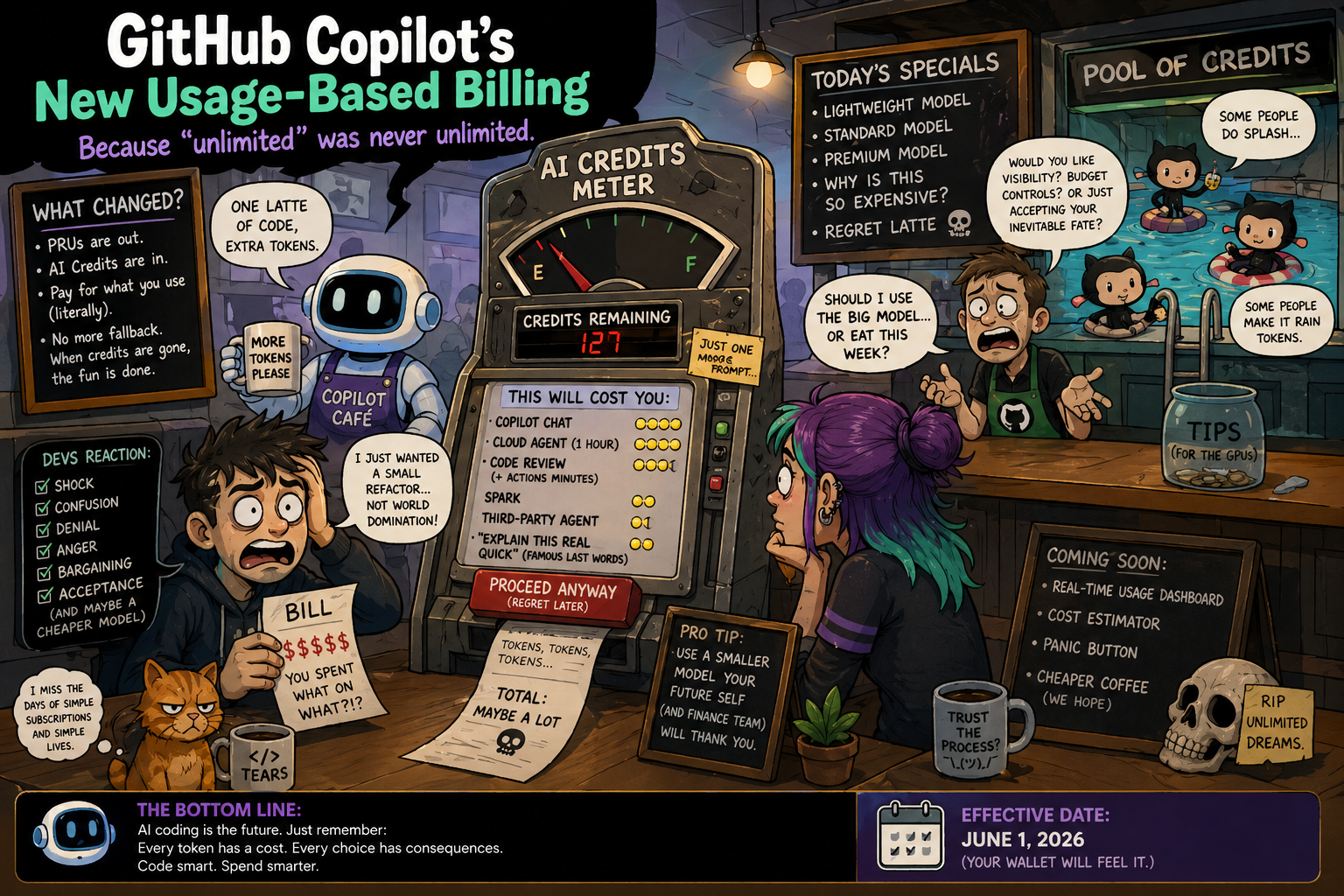 How I envision every Copilot developer right now
Updated July 2026

