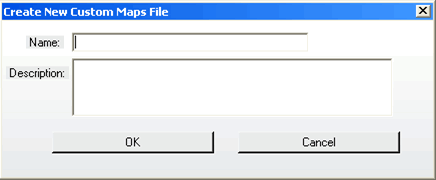
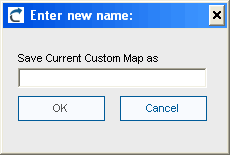
This approach allows VB6 AI Migrator users to specify customized mappings. The users can decide which elements to transform and what transformation to apply. Even though only simple mappings are allowed in this solution, the capabilities of this feature have been enough for some VB6 AI Migrator clients to specify around 20,000 customized mappings on their own and apply them successfully.
The custom mappings extensibility is even more powerful when combined with the development of custom helper classes. The helper classes can provide equivalent behavior when some functionality is not available in the target platform.
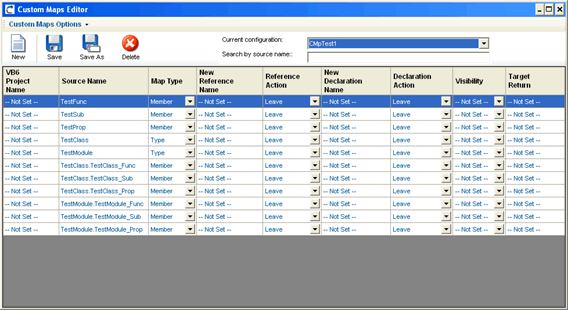
The custom maps editor is implemented as a VB6 AI Migrator Plug-in. It can be found under the tools menu in the main window of the VB6 AI Migrator’s GUI.
The controls placed on the editor provide the following functionalities:
| Action | Icon | Description |
| New |  |
Creating a New custom map configuration. |
| Save |  |
Saving the current map configuration |
| Save As |  |
Save the current configuration with a new name. When this option is selected, the user is prompted for a new name for the custom map configuration copy that will be created.
|
| Delete |  |
Delete the currently selected configuration. The user will be prompted for confirmation before actually removing the file. |
Custom Maps are written for Types or Members.
A Type is either:
And a Member is either:
A custom map applies for both references and declarations of the given element. In order to get familiarized with the custom maps editor some of the most used concepts are described below.
A reference is any use of a Type or a Member in your code. Examples of Type references are:
Dim x as Class1
Sub foo(x as Class1)
End Sub
Examples of Member references are:
Sub Foo(x as Class1)
x.Member1
Dim a
A = Enum1.Value1
End Sub
A declaration is the code segment where the element definition is located.
The custom maps feature can change the visibility of a given element in the target code. The new visibility modifier can be set to:
The target return is the data type for subs, properties and functions to be returned to the code flow path after the execution of this code segment. The user cannot change the type of an enum or any enum field.
Note that if the user changes the return type of a function, it can result in some compilation errors.
The VB6 argument of the custom maps editor is used if a multi-project upgrade is being performed, so the user can specify the particular project to apply the custom mappings in order to avoid name conflicts and to fine tune de transformations scope and precision.
Performing removals of code elements can have severe implications; it is not safe unless the code elements are not referenced by any other code segment in the current project, or in other VB6 projects if a multi-project upgrade is performed.
This kind of removals can produce compilation errors if any of these elements are used or referenced. Also, if these element were part of a more complex statement like an If expression, the upgrade engine will remove the complete instruction, possibly deleting important code.
Properties are removed as a whole code segment, which means that the user cannot specify to remove only the get or set of a property.
Removing enumeration elements can affect the values of the rest of the elements in the entire enumeration, which can affect the normal program execution flow.
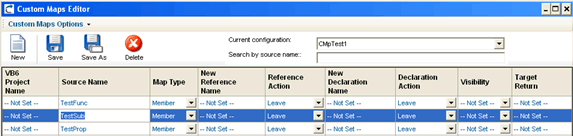
The ComboBox in the top right corner allows you to change between current configurations. The custom map files are edited in a grid control. The user can navigate through the columns with the arrows keys.
| Column Name | Description |
| VB6 Project Name | The particular VB6 project name should be specified here |
| SourceName | This is the “complete name” of a given element. The complete name has the following format: <Class/Module/Form/Enum name>.<Member name> |
| MapType | Choose between Member (default) or Type. |
| New Reference Name | Only set it if the user reference action is “Modify”. It’s the new name that will be used for all references |
| Reference Action | Choose between Leave, Modify or Remove |
| New Declaration Name | Only set it if the user declaration action is Modify. This will be used as the new name for the element declaration |
| Declaration Action | Choose between Leave, Modify or Remove |
| Visibility | Choose between Nothing (default), Public, Private, Protected or Internal |
| Target Return | This applies for Properties and Functions, and it changes the return type. This setting is ignored for Types and for enumeration fields |